
Service requests
A QR code on the unit beats phone tag.
The person standing in front of the broken equipment is the one who knows what's happening. Let them tell you directly, with photos.
30-day free trial. No credit card. Built for independent shops.
Print the QR codes
Each customer gets their own QR code. Print a sheet on ordinary Avery labels and put one on the unit, the panel or the break-room door.
They scan it
The tenant, the janitor, the store manager - whoever notices the problem. No app, no login, no account.
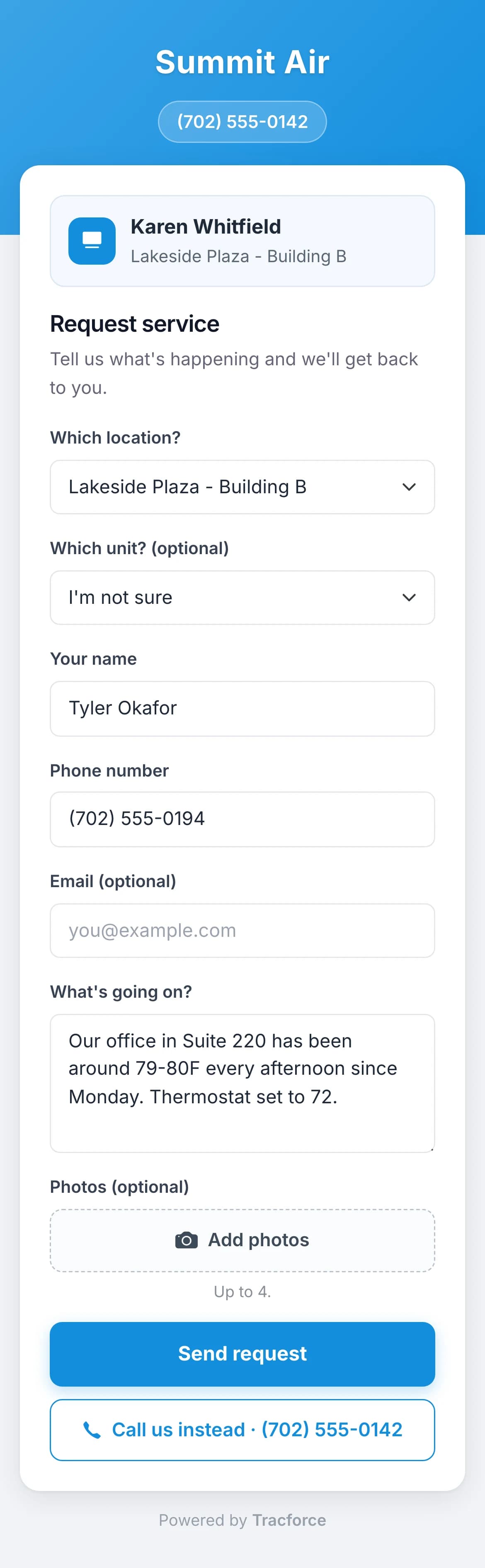
They tell you what's wrong
They pick the building and the unit, describe the problem and add up to four photos of it.
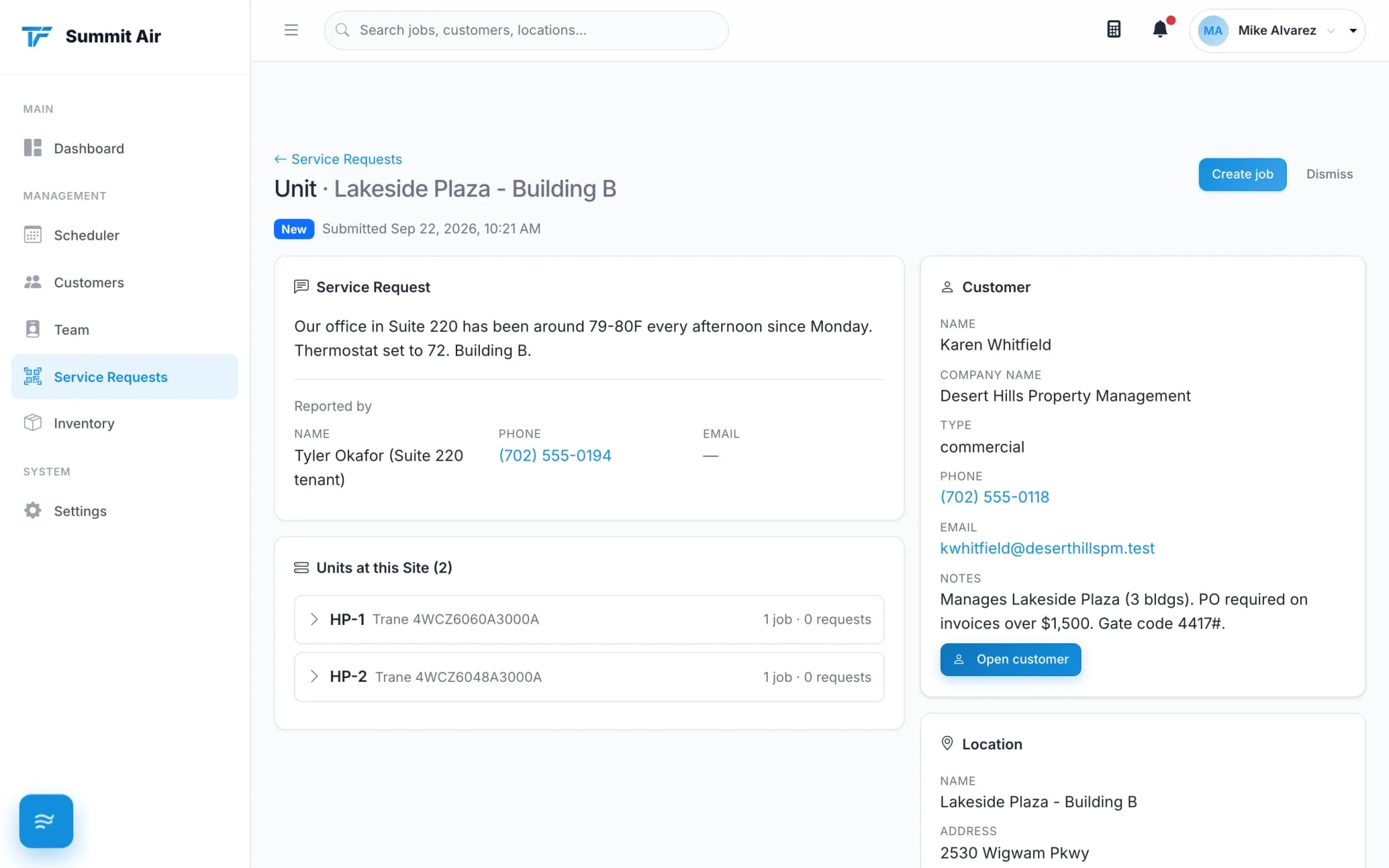
You make it a job
It arrives in your Service Requests list with a notification. One click turns it into a job with the customer, site and unit already filled in.
Why shops put these on every unit
No login for them
A tenant isn't your customer and shouldn't need an account. They scan, type and send.
Photos with the problem
Four photos of the actual unit beat a voicemail saying the air conditioner is making a noise.
Nothing sits in a voicemail
Requests land in one list with a notification, so they don't live in somebody's text messages.
One click to a job
The customer, the building and the unit come across, so dispatch isn't retyping what you already know.
Codes never expire
Print once. The code on that rooftop still works in five years.
Looks professional
A property manager with your QR code on every unit has your shop's name in front of them all day.
Free with every account
Service request QR codes don't cost extra. Turn them on in settings, print your codes and put them on the equipment.
- One code per customer, covering every site they own
- Only people who handle requests get the notification
- Requests you don't want become dismissed, not deleted
Put your shop on every rooftop you service.
Print a sheet of QR codes on your next commercial call.
30-day free trial. No credit card. Built for independent shops.