Compare
Tracforce vs Jobber
Jobber is well-liked by small service businesses, and it earns it. Here's an honest look at where the two part ways, and how to tell which one fits your shop.
30-day free trial. No credit card. Built for independent shops.
Straight answer
This isn't a good-versus-bad story.
Jobber is built for small shops and covers a lot of ground: quoting, scheduling, invoicing, a client hub where customers approve and pay, and automated follow-ups. It works across a wide range of trades, and it's especially strong when your business lives on sending quotes and keeping clients in the loop.
The difference is how you pay and what the product is centered on. Jobber prices by tier and team size, with some tools sold as add-ons, and offers a lower monthly rate if you commit for a year. Tracforce has one plan, one per-person price and no commitment - and it's built for trades that work on equipment, with data-tag scanning, readings and parts on every job.
A note on the table below: Jobber changes its plans and promotional pricing from time to time, so we describe their approach in general terms instead of quoting dollar figures that may have moved. Check their pricing page for current numbers. If anything here is out of date, tell us and we'll correct it.
Side by side
Eight things a small shop owner actually asks about before switching.
Tracforce
One plan, built for equipment trades
Jobber
Tiered plans, built around quotes and clients
Tracforce
Independent service companies of roughly 1 to 15 people, where the owner still runs calls and does the dispatching.
Jobber
Small home service businesses across a wide range of trades - lawn care, cleaning and landscaping as much as plumbing and HVAC - with a strong focus on quotes and client communication.
Tracforce
$35 per person, per month, or annual. One plan, published on the site. The owner counts as a seat, there's no minimum and no cap.
Jobber
Tiered plans published on their site, priced by feature level and team size, with extra users billed on top. Intro discounts are common, so check what the price becomes after the promo ends.
Tracforce
Sign up, add your people, run your next job through it the same afternoon. No consultant, no kickoff call.
Jobber
Self-serve sign-up. Quote templates, the client hub, automated follow-ups and online booking each need setting up to get full value.
Tracforce
None. If you can describe a job out loud, you can create one. Your techs learn it on the drive to the first call.
Jobber
Generally considered easy to pick up, with a help center, webinars and onboarding resources behind it.
Tracforce
30-day free trial, no credit card. No contract, cancel anytime. Your data is kept, never deleted, so it's there if you come back.
Jobber
14-day free trial, no credit card. Choose month-to-month, monthly billing with a 12-month commitment, or annual prepaid - worth reading which one you're signing.
Tracforce
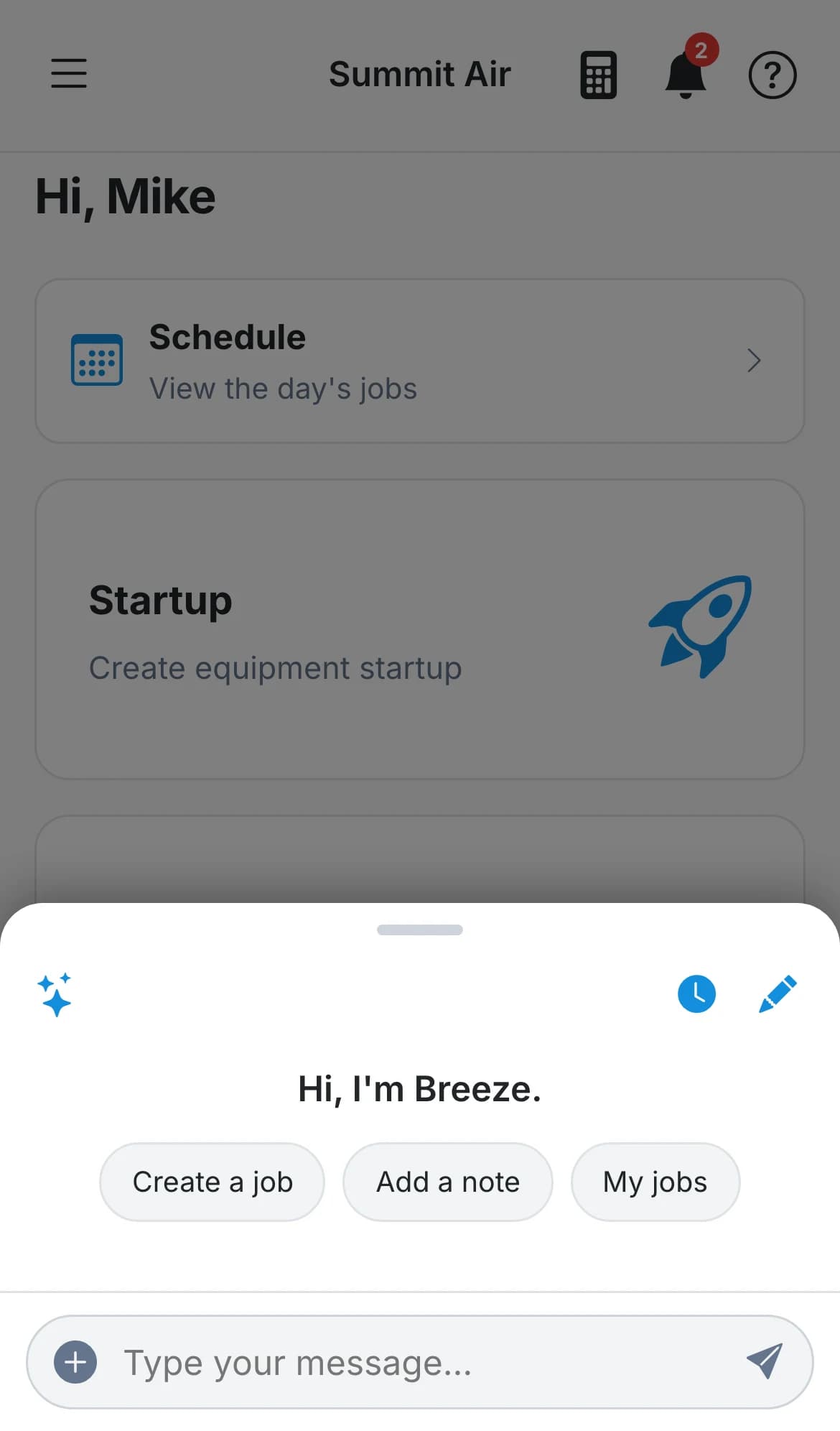
The phone is the product. Everything a tech does all day happens there - iPhone and Android, dark mode, big buttons, one-tap directions, keeps working with no signal.
Jobber
A solid mobile app for field work, paired with a web dashboard for quoting, client management and reporting.
Tracforce
Breeze is included with every seat. Talk to her like a dispatcher - create a job, assign a tech, add a part, mark it complete - and confirm the card before anything changes.
Jobber
AI tools for drafting quotes, updating the schedule by voice and answering questions about your business. The AI receptionist that answers calls is a paid add-on below their top plan.
Tracforce
Service Request QR codes and Google Calendar are free. Inventory and QuickBooks are paid add-ons you turn on and off in settings.
Jobber
Marketing tools, the AI receptionist and a sales pipeline are paid add-ons on the lower tiers and included on the top plan.
Free add-ons: Service Request QR codes and Google Calendar. Paid add-ons: Inventory and QuickBooks. Every seat includes an AI allowance - if it runs out, only Breeze pauses and the rest of the app keeps working.
What you get for $35 a person
No tiers, no team-size brackets and nothing held back for a bigger package. The whole thing, shaped around how a small shop actually runs.
- Jobs with photos, readings, custom fields and an activity log
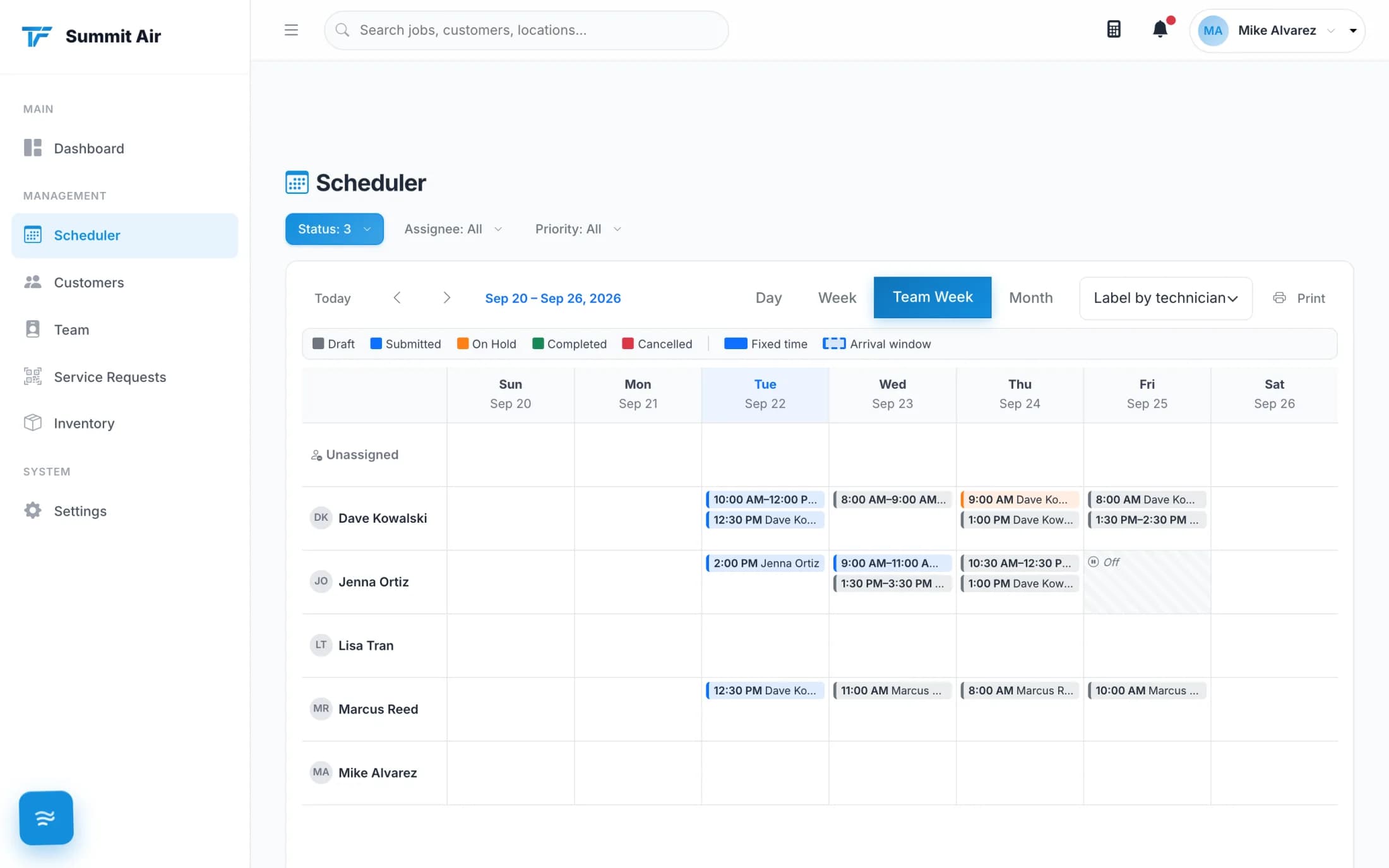
- Drag-and-drop scheduler with a lane per tech, arrival windows and double-booking warnings
- Snap a unit's data tag and the make, model and serial fill themselves in
- Bid Calculator - price the job in the driveway, markup hidden on the customer's PDF
- Branded invoice PDF, emailed with the photos, signed on the phone
- Breeze on every seat
When Jobber is the better choice
We'd rather you pick the right tool than switch and regret it in a month.
A visit-based trade
Lawn care, cleaning, landscaping and similar work is about the visit, not the equipment. Jobber is built for that across many trades; Tracforce is built around units, readings and parts.
Lots of recurring routes
If most of your week is the same customers on a repeating schedule, with route planning and recurring billing, Jobber is set up for that rhythm.
A quote-first business
Multi-option quotes, automatic quote follow-ups and a client hub where customers approve, book and pay online are at the center of Jobber.
If that's your shop, Jobber may be the better fit and we'll say so. If you're heating and air, refrigeration, plumbing or electrical, and your techs live on their phones - keep reading.
The switch
Tracforce is the right call when…
- You'd rather pay one price per person than pick a tier and a team-size bracket.
- You don't want a 12-month commitment hiding behind a monthly price.
- Your work is equipment - units, data tags, readings and parts - not just visits.
- Most of your day already happens on a phone in a truck.
- You want a month to try it with your real jobs, not two weeks.
Try it for 30 days before you decide.
No credit card, no contract, no onboarding call. Cancel anytime and your data stays put.
30-day free trial. No credit card. Built for independent shops.